Screen Recorder & Screenshot App for Chrome | Scrnli
by scrnli.com
Screen Recorder & Screenshot App for Chrome | Scrnli
by scrnli.com
Featured in:


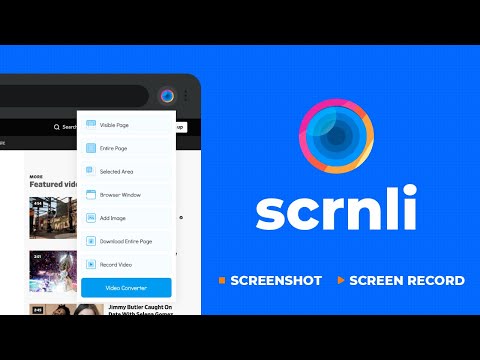


Quick Look
This extension allows users to easily capture screenshots and record their screen, with built-in editing, conversion, and sharing capabilities.
AI Overview
Who is this for?
Individuals and teams who need to quickly capture, edit, and share visual information from their screens.
Key Features
- → Full-page and partial screen capture
- → Screen recording with webcam option
- → In-browser editing with text and graphic tools
- → Video file format conversion
- → Easy sharing via link
Reviews Analysis
Overall Sentiment
Overwhelmingly PositiveUsers highly praise the extension for its ease of use, comprehensive features, and convenience in capturing and editing screen content.
Note: AI analysis focuses on the substance and recency of reviews, which may differ from the overall store rating.
What Users Love
- ✓ Very easy to use and intuitive interface.
- ✓ Excellent range of features for screenshots and recordings.
- ✓ Great for quickly sharing information.
Points to Consider
- × No significant or recurring cons mentioned.
Official Description
From the Developer
Screen recorder for Chrome: capture, edit, share screenshots and videos instantlyScrnli is a powerful screen recorder and screenshot tool for Chrome that lets you capture your screen, record video, take screenshots, and share content instantly.
Use Scrnli to record your screen, capture full pages, edit screenshots, and create video recordings for work, study, or communication.
Why Choose Scrnli screen recorder and screenshot app
Screenshot Tool for Chrome - Capture full page, selected area, or visible screen
Screen Recorder for Chrome - Record screen, browser tab, or desktop video
Edit Screenshots - Annotate, draw, add text, arrows, and highlights
Instant Capture - Take screenshots and record screen with one click
Easy Sharing - Share screenshots and videos instantly via link
Save and Download - Save screenshots and screen recordings locally
Lightweight Extension - Works smoothly without slowing down Chrome
Secure and Private - Your data stays safe and under your control
What You Can Do with Scrnli
Take Screenshots - Capture full page screenshots or selected areas
Record Screen Video - Record tutorials, meetings, and presentations
Create Tutorials - Record screen and explain processes visually
Improve Communication - Share screenshots and videos instead of text
Save Important Content - Capture and store useful information
How to Use Screen Recorder & Screenshot Tool 1. Install Scrnli from the Chrome Web Store 2. Click the extension icon 3. Choose screenshot or screen recording mode 4. Capture your screen or record video 5. Edit, save, or share instantly
Capture and record your screen in seconds with this easy-to-use screen recorder for Chrome.
Screenshot Features
Full Page Screenshot - Capture entire web pages Visible Screen Capture - Capture what you see Area Screenshot - Select and capture specific areas Instant Editing - Add text, arrows, and highlights
Screen Recorder Features
Record Screen - Capture desktop, browser tab, or window Video Recording - Record video with smooth performance Quick Sharing - Share recordings instantly Save Video - Download recordings for offline use
Why Users Install Scrnli Screen Recorder • Easy screenshot and screen recording tool • Fast capture and editing features • Share screenshots and videos instantly • Lightweight and simple to use • Perfect for work, study, and daily tasks
Privacy and Security
Scrnli Screen Recorder does not collect or store personal data. Your screenshots and recordings remain private.
Your extension? Let us know if we can update or correct anything!
Key Info
-
Rating:
4.7/5.0
10.3K ratings
- Users:1,000,000
- Version:4.3.7
- Updated:May 05, 2026
- Developer:Visit Website →
Stats from Chrome Web Store