SelectorsHub
by SelectorsHub Tech Pvt Ltd
SelectorsHub
by SelectorsHub Tech Pvt Ltd




Quick Look
SelectorsHub is a powerful browser extension that simplifies the creation and verification of XPath and CSS selectors, offering auto-suggestions and error highlighting for web developers.
AI Overview
Who is this for?
Web developers, testers, and anyone working with web element locators.
Key Features
- → Auto-generates and suggests XPath and CSS Selectors.
- → Verifies selectors with error messages and highlights matching elements.
- → Supports ShadowDOM, iframes, and SVG elements.
- → Eliminates the need to copy-paste attribute values from the DOM.
- → Allows quick copying of selector values.
Reviews Analysis
Overall Sentiment
Overwhelmingly PositiveUsers highly praise SelectorsHub for its efficiency in generating and verifying selectors, saving significant time and effort in web development and testing.
Note: AI analysis focuses on the substance and recency of reviews, which may differ from the overall store rating.
What Users Love
- ✓ Saves a lot of time and effort in writing selectors.
- ✓ Provides accurate suggestions and helpful error messages.
- ✓ Excellent support for various web elements including iframes.
Points to Consider
- × Some users might experience minor UI glitches.
- × Initial learning curve for advanced features.
Official Description
From the Developer
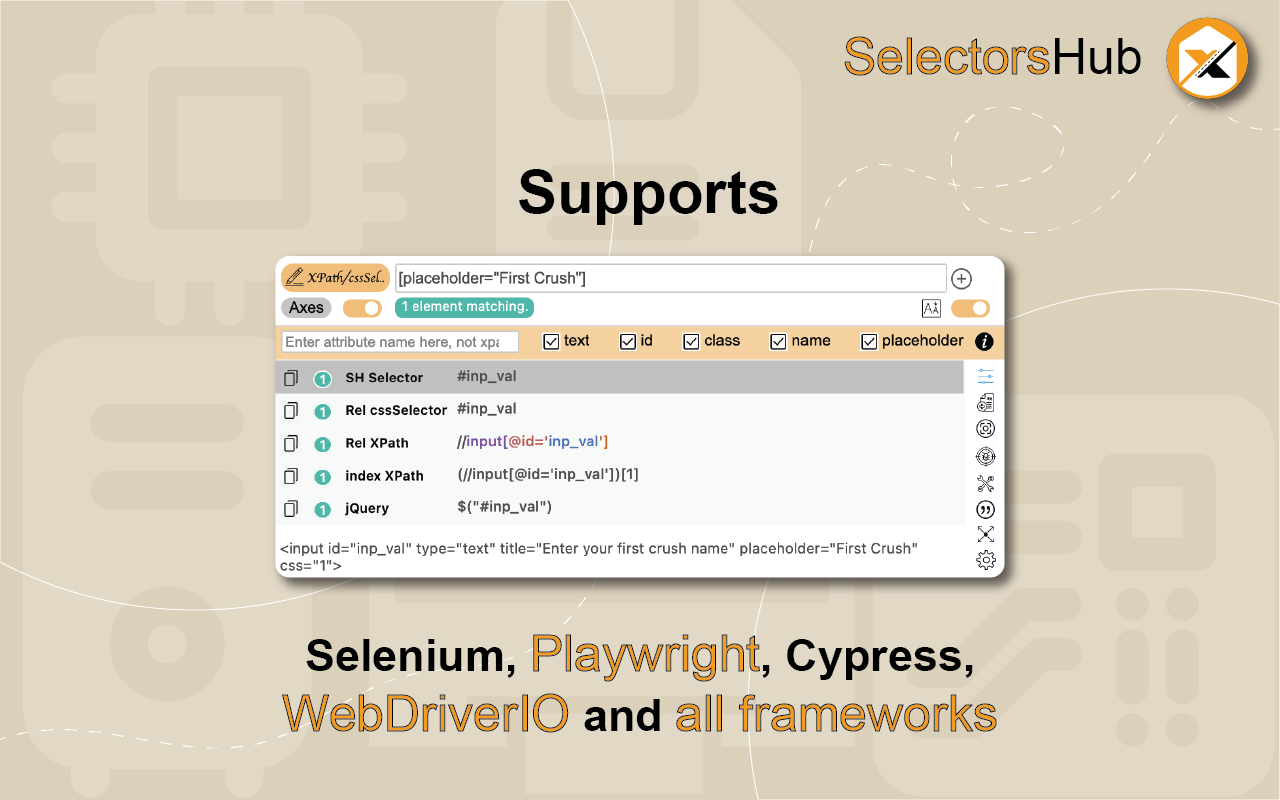
Locators Plugin to Auto Generate and Verify Playwright Locators, XPath & CSS Selectors.SelectorsHub - Auto-generate Playwright Locators, XPath & CSS Selectors SelectorsHub is a powerful developer tool that automatically generates and verifies Playwright locators, XPath, and CSS selectors for web automation testing.
Key Features:
- Auto-generation: Instantly generates multiple selector types including native Playwright locators, XPath, CSS selectors, IDs, names, and more.
- Advanced element support: Works seamlessly with iframes, Shadow DOM, SVG elements, dynamic elements, dropdowns, and complex UI components.
- Smart suggestions: Auto-suggests attributes, text values, and occurrences to help you build selectors faster—no more copying and pasting from the DOM.
- Error detection: Provides clear error messages indicating what's wrong with your XPath or CSS selectors.
- Element highlighting: Automatically highlights matching elements and scrolls them into view for easy verification.
- XPath Healing: Verify all the xpath in one shot.
- Locators Page: Generate Locator Page in one go.
How to Use:
- Open Chrome DevTools (F12 or right-click > Inspect)
- Navigate to the SelectorsHub tab in the DevTools sidebar, or click the SelectorsHub icon in your browser toolbar
- Inspect any element to automatically generate all selector types
- For Playwright locators, click the "Playwright Selectors" button, then inspect the element
- Type or edit selectors in the input box—smart suggestions will help you complete them quickly
- Press Enter to verify and highlight all matching elements on the page
Perfect for: a) QA Engineers and Test Automation professionals, b) Web developers working with Playwright, Selenium, Cypress, or other testing frameworks c) Anyone who needs reliable, maintainable element selectors
Support: Questions or feedback? Contact us at [email protected]
Your extension? Let us know if we can update or correct anything!
Key Info
-
Rating:
4.8/5.0
1.5K ratings
- Users:400,000
- Version:5.7.0
- Updated:Apr 18, 2026
- Developer:Visit Website →
Stats from Chrome Web Store